HDFC Connector
Introduction
The HDFC Connector integrates the Lnder Banking system with HDFC Bank's APIs, enabling secure and automated processing of payments and bank queries directly from the application.
This connector allows users to initiate outward payments, check payment status, and fetch bank balances using HDFC's official APIs within the system, ensuring smooth transaction flow and up-to-date information.
Key Features
- Secure integration with HDFC Bank using encryption and digital signatures.
- Supports payment initiation, payment status inquiries, and bank balance checks.
- Handles OAuth2 token generation for authenticated API access.
- Supports separate environments for Testing and Production.
- Logs all API requests and responses for auditing and troubleshooting.
- Role-based access control to ensure only authorized users can configure or use the connector.
Configuration Steps
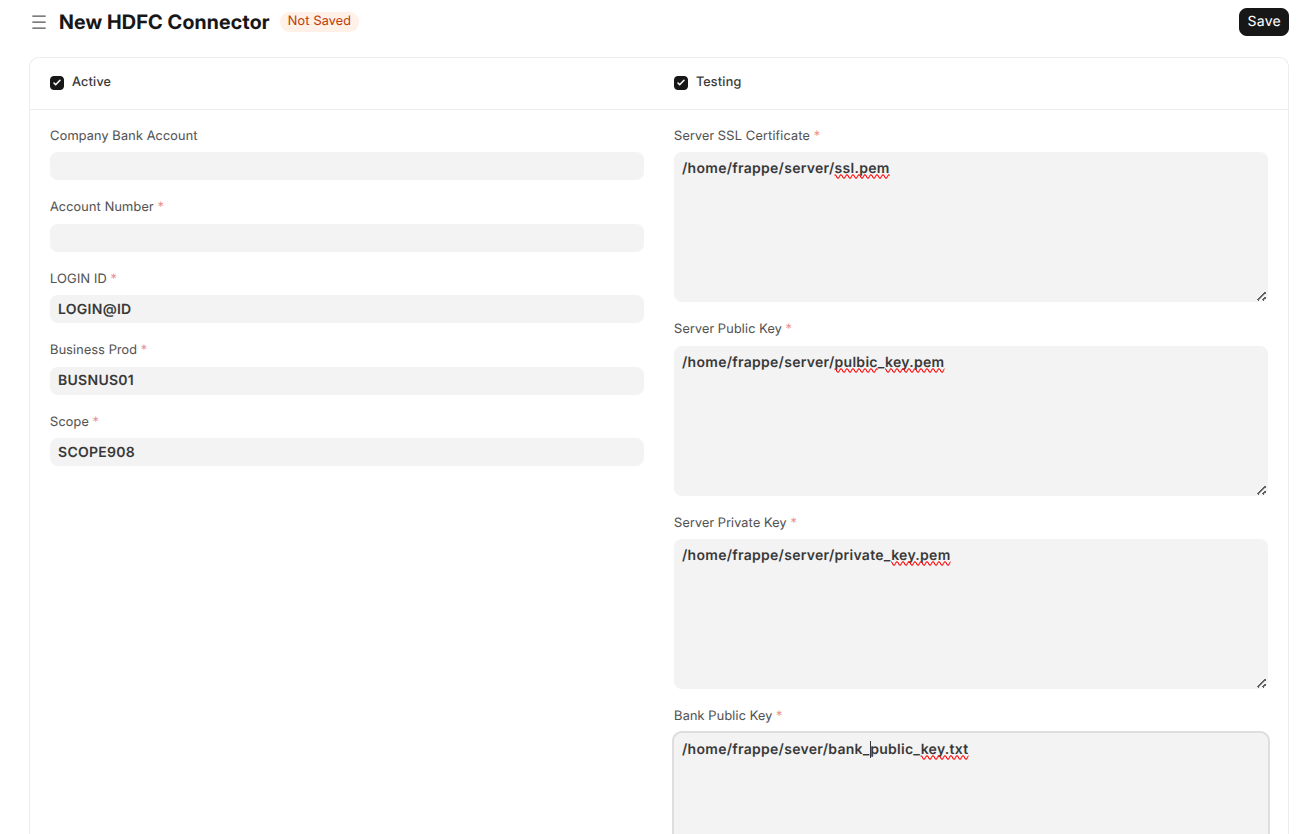
- Company Bank Account: Select the company bank account linked to HDFC Bank. Only accounts of HDFC Bank are valid.
- Account Number: This is auto-populated based on the selected company bank account.
- LOGIN ID, Business Prod, Scope: Provide credentials and configuration values as specified by HDFC Bank's API guidelines.
- Server Public and Private Keys: Upload the bank public key and your server's private key for encrypting and decrypting API messages securely.
- Client Key and Client Secret: Enter authentication credentials for OAuth2 token generation.
- Server SSL Certificate: Provide the SSL certificate for secure HTTPS communication with HDFC APIs.
- Transaction Password: Setup the password used for authenticating transactions securely.
- Testing Mode: Enable this checkbox to configure the connector for HDFC's testing (UAT) environment before going live.
- Active: Toggle to activate or deactivate the connector as needed.
How to Use
Once configured and activated, the connector automatically:
- Generates OAuth tokens needed for API access.
- Encrypts payment payloads and decrypts responses seamlessly.
- Sends payment initiation requests and fetches payment status updates.
- Retrieves bank account balances for real-time cash management.
- Keeps detailed logs of all API interactions for audit purposes.
Roles and Permissions
Only users with authorized roles such as System Manager, Bank Maker, and Bank Checker can configure and invoke actions through the HDFC Connector to maintain security compliance.
Troubleshooting
- Ensure that all key files and credentials are correctly uploaded as per HDFC Bank's specifications.
- Verify that Company Bank Account is linked to HDFC Bank before activating.
- Check the Testing checkbox before using the UAT environment, and uncheck for production.
- Review API request logs in case of failed or unexpected responses.