Purchase Invoice
The Purchase Invoice Logic manages validations, credit checks, and subscription ledger updates when a Purchase Invoice is created, submitted, or cancelled.
Main Functions
- Validate – Updates supplier address and calculates total amounts for device subscription items.
- Before Submit – Checks supplier credit limit before allowing submission.
- On Submit – Creates entries in the Subscription Ledger for the purchase invoice.
- On Cancel – Cancels related Subscription Ledger entries if no active sales invoices exist.
Credit Limit Validation
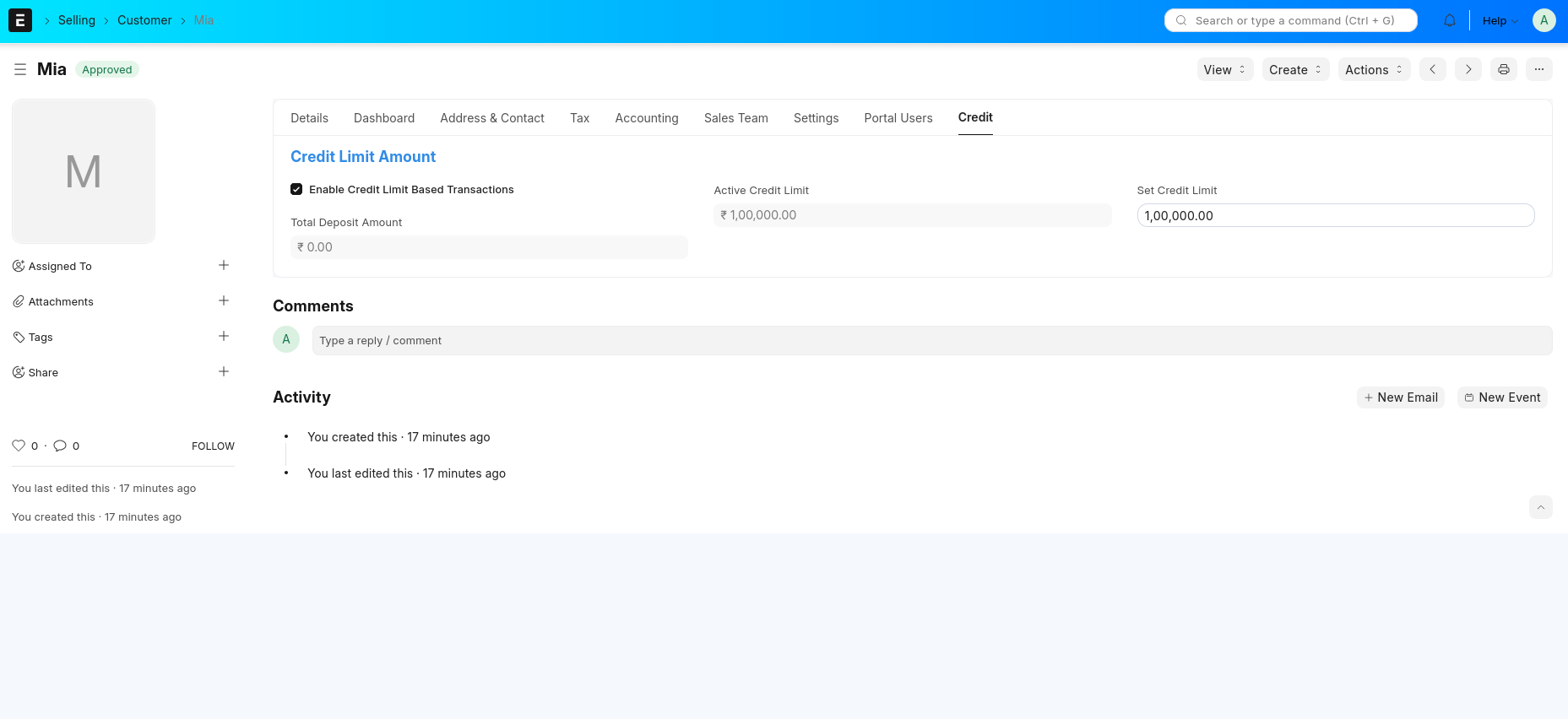
Credit Limit Validation helps control supplier transactions based on their approved credit or deposit amount.
Steps
- Enable Credit Limit Based Transactions in Supplier.
- Set Credit Limit.
- When you submit an invoice, the system checks if the limit is exceeded.
- If exceeded, it shows a warning and marks it as Pending for approval.
- If within limit, it auto-approves as Approved.
This ensures safe, controlled spending and proper approval before exceeding limits.
Video Tutorial
Watch the video below for a step-by-step demonstration of credit limit validation:
Deposit Flow
Deposit represents the amount added to a supplier’s account to increase their available credit limit.
Steps
- Create a Journal Entry for the supplier’s deposit.
- Select the supplier under the Party Type and enter the deposit amount.
- Once submitted, the amount updates in the supplier’s Total Deposit.
- The system then increases the supplier’s Active Credit Limit automatically.
- This deposit can be used for future payments or invoice adjustments.
In short — adding a deposit through Journal Entry increases the supplier’s available credit for new transactions.
Video Tutorial
Watch the video below for a step-by-step demonstration of deposit and credit limt flow:
Subscription Totals
The total amount for each device subscription item is calculated using quantity, rate, and discount.
Credit Limit Check
Before submitting, the system checks the supplier’s credit limit. If the new purchase causes the limit to exceed, the invoice cannot be submitted.
Cancellation Rules
A Purchase Invoice cannot be cancelled if related Sales Invoices are still active in the Subscription Ledger. Once they are cancelled, the Purchase Invoice can be cancelled safely.
Cancellation Flow
Purpose
- Keeps supplier and account data updated.
- Prevents credit limit violations.
- Maintains accurate records in the Subscription Ledger.