Trip Schedule
Introduction
The Trip Schedule is a critical component in the ERPNext Vehicle Trip Tracking system. It defines detailed operational scheduling for vehicle trips, linking routes, operators, and trip types to manage fleet movement effectively.
Before creating a Trip Schedule, you must first ensure the foundational data is in place: the Trip City records and the Route Addition between cities.
Pre-Requisites
1. Trip City
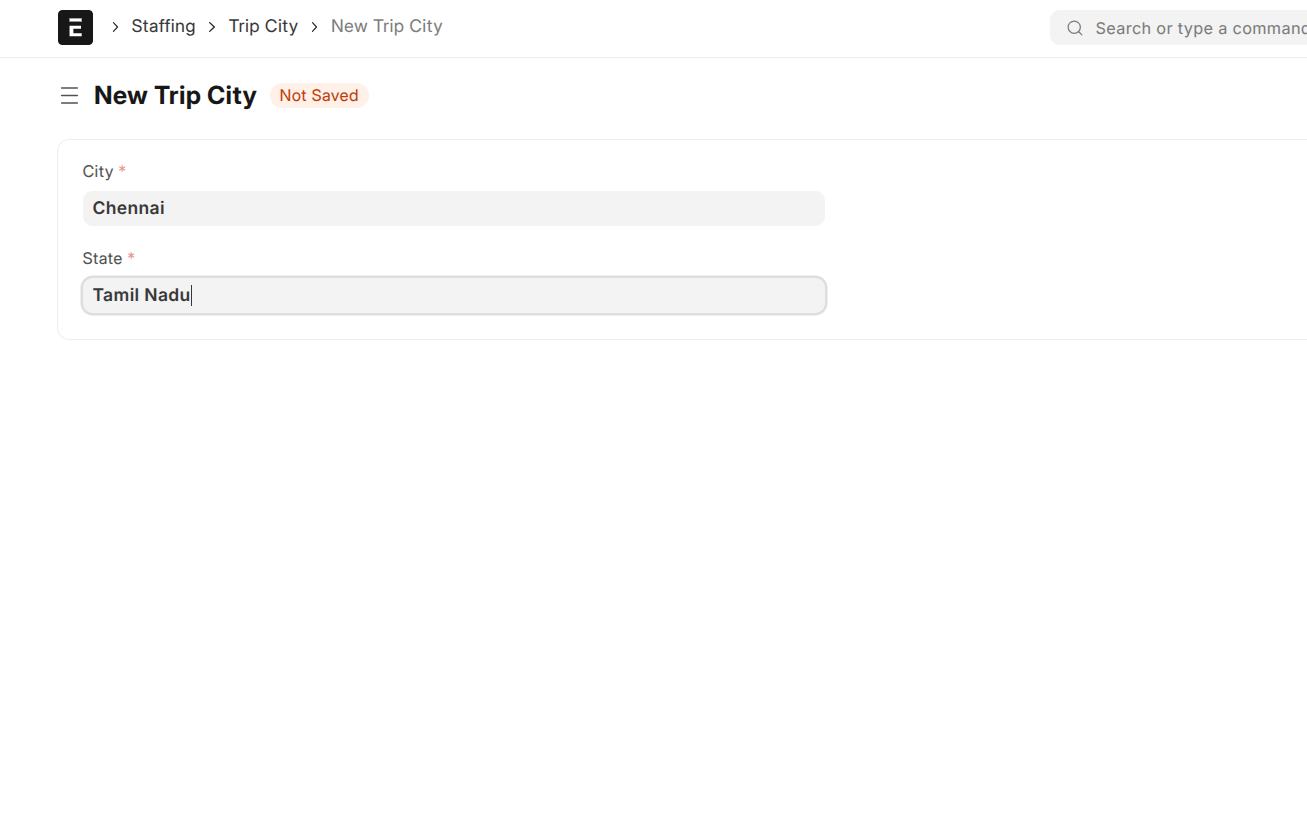
This document holds the master list of cities involved in your fleet operations. Each city entry requires:
- City: Name of the city (unique and mandatory)
- State: The Indian state the city belongs to
2. Route Addition
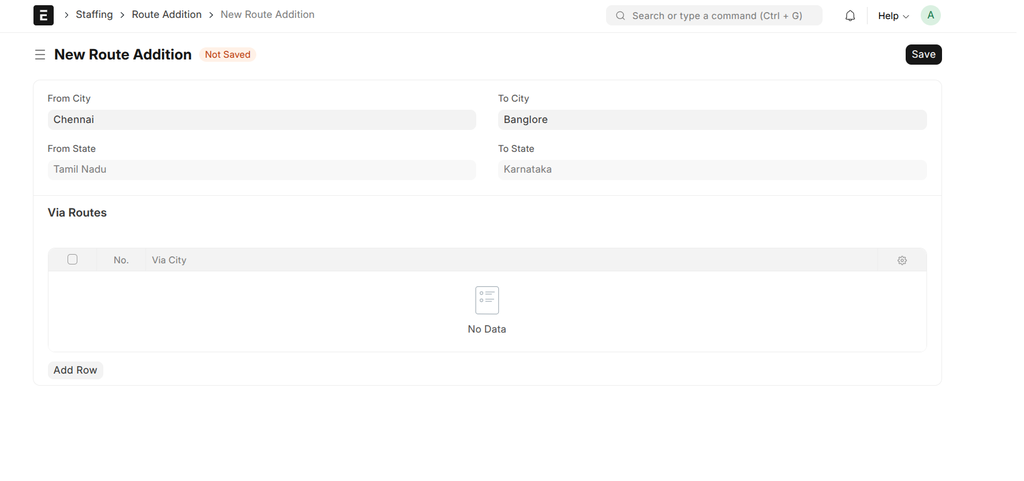
Define routes between two cities, including optional via routes, which represent intermediate stops or alternate paths.
Important fields include:
- From City: Starting city of the route
- To City: Destination city (must be different from From City)
- Via Routes: Optional table to specify intermediate waypoints or cities between From and To
- From State / To State: Auto-fetched from the linked cities for informational purposes
Creating a Trip Schedule
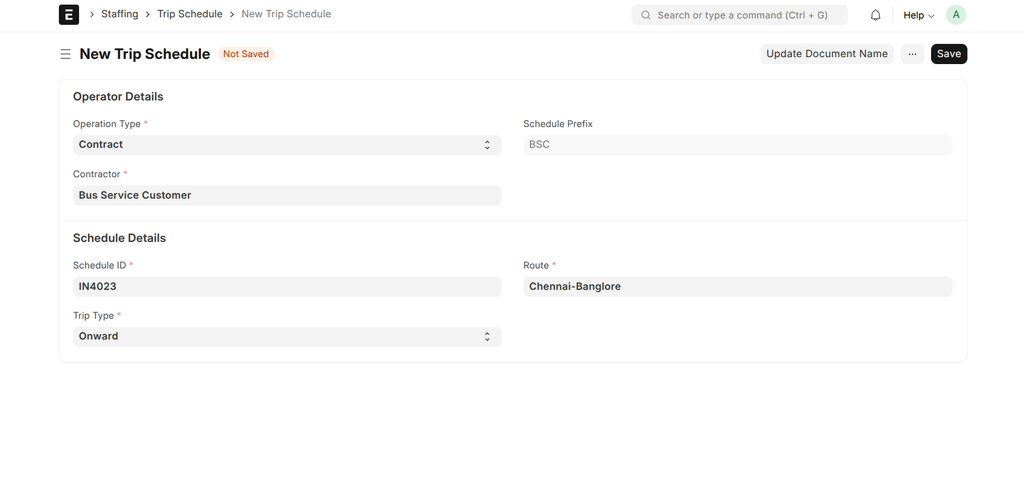
Once Trip Cities and Routes are ready, create a Trip Schedule as follows:
- Schedule ID: Provide a unique identifier for the schedule.
- Route: Select from the predefined routes created in the Route Addition.
- Operation Type: Choose between:
- Contract - For trips operated by a third-party contractor
- Own Operations - For trips operated by your own fleet
- Contractor: If the operation type is Contract, select the contractor (customer) responsible.
- Schedule Prefix: Auto-generated abbreviation based on contractor or defaults to "OWN".
- Trip Type: Select whether the schedule is for an Onward journey or Return journey.
Important Notes
- From City and To City in Route Addition cannot be the same.
- Schedule Prefix helps in quickly identifying contractor or ownership type.
- Proper setup of Trip Cities and Routes is essential to avoid errors or invalid schedules.
- Use the "Update Document Name" button on the schedule form to refresh the generated name if changes are made to contractor or trip type.
User Interface Behavior and Validation
- When selecting From City in Route Addition, To City options exclude the selected From City and vice-versa to prevent invalid route creation.
- The Schedule ID field automatically strips spaces and trims input to maintain clean identifiers.
- If operation type is changed from Contract, the Contractor field is cleared automatically.
- Validations prevent creating routes with the same city for both start and end points.